GA4 for Businesses: From Raw Data to Smarter Campaigns
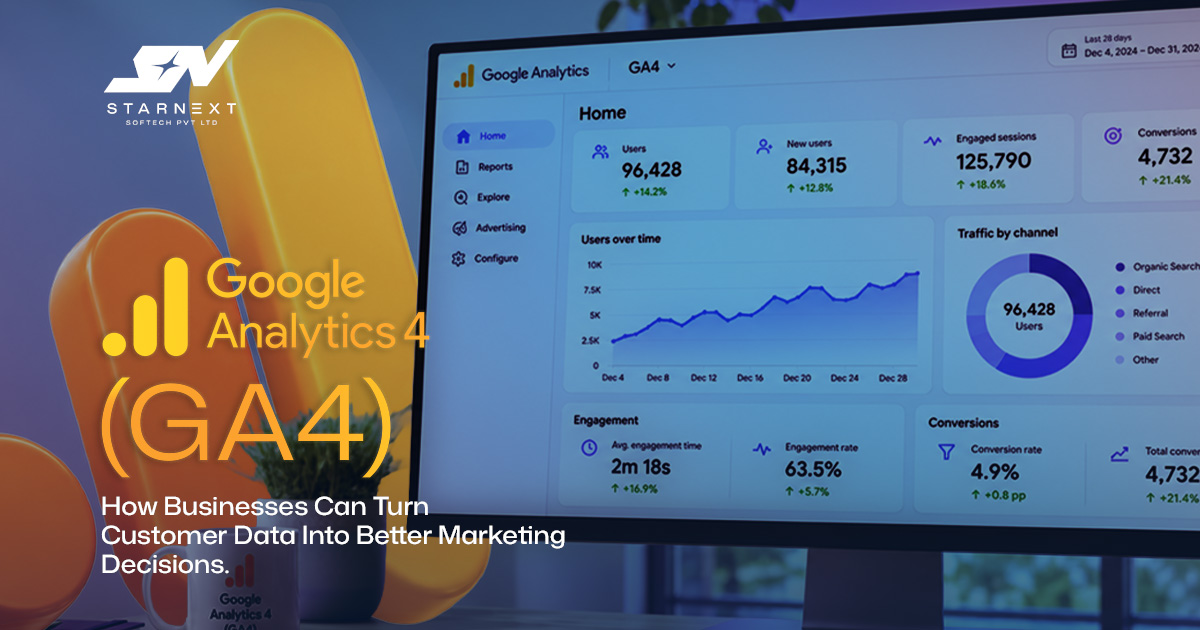
A paid campaign can look successful at glance. Clicks are up, traffic is climbing and the dashboard is busy. Then the sales team says the leads are weak. That gap is where google analytics 4 either earns its place or becomes background noise.
The point of google analytics 4 is not to produce reports. The point of google analytics 4 is to show how people move from curiosity to action. The point of google analytics 4 shows where that journey breaks down. The point of google analytics 4 shows which marketing choices deserve investment. For a business that might mean discovering that calls from organic search convert better than social clicks. For a retailer it may mean finding a checkout step that quietly costs hundreds of sales each month.
What google analytics 4 Actually Measures
People still ask what google analytics is because the name sounds simpler than the work it can do. At its core google analytics 4 records how visitors arrive, what they do and whether they complete an action that matters to the business. GA4 is google analytics 4’s version of the platform. GA4 is built around interactions called events rather than the older session‑first model used by Universal Analytics.
A page view is an event. A button click is an event. A video play is an event. A file download is an event. An appointment request is an event. An add‑to‑cart action is an event. A purchase is an event. That event‑based design gives marketers control. That event‑based design also demands thinking. If the events are poorly named or the important ones are never set up the reports will be neat. Still fail to answer the business question.
Why google analytics 4 Changes the Marketing Conversation
Traditional reporting often stops at activity. Sessions, users, pageviews, impressions. Those numbers have a role. Those numbers are not decisions. The point of google analytics 4 becomes useful when it connects activity to intent and outcomes.
Imagine a home‑services company running search ads for emergency plumbing. One campaign drives more visits than the rest.Visitors from that campaign call within two minutes and frequently become booked jobs. Another campaign produces a flood of clicks but little engagement. Looking at cost per click would reward the wrong campaign. Looking at events and conversion quality changes the decision.
That is the shift. Use google analytics 4 to identify the traffic that moves the business forward. Do not use google analytics 4 to make a monthly report look healthier.
The google analytics 4 Metrics That Deserve Attention

Engagement tells you whether a visit had substance
In google analytics 4 an engaged session generally lasts more than 10 seconds. An engaged session includes two or more page or screen views. An engaged session triggers a conversion event. Engagement rate is the share of sessions that meet one of those conditions. Engagement rate is often a helpful starting point rather than treating every single‑page visit as a failure.
The common question ‘what is a good bounce rate’ does not have a clean answer. A visitor who lands on a restaurant’s contact page taps the phone number and leaves and has probably had a visit even if they do not read more. A long‑form article can also satisfy someone who reads it, gets the answer and moves on. Compare bounce rate and engagement against a page’s job, its traffic source and its conversion behavior.
Conversions should reflect commercial progress
A conversion should represent something the business would genuinely want more of. For a clinic that could be a completed appointment request or a click on a tracked phone number. For a B2B firm it may be a demo request. For e‑commerce purchases are obvious. Add‑to‑cart and checkout‑start events can expose problems earlier in the funnel. Avoid marking every micro‑action as a conversion. A scroll depth event can be useful for diagnosis. It should not sit beside completed orders in the same executive report. Separate signals of interest from outcomes that carry value.
Acquisition reports reveal the quality behind traffic
Channel labels such as Organic Search, Paid Search, Email, Referral and Organic Social are the beginning. Review these sources against sessions, conversion rate, revenue and where possible CRM outcomes. A channel with traffic but stronger lead quality can be the better investment.
Use consistent campaign tagging for channels. If email newsletters, influencer links and paid ads arrive under vague or inconsistent source names the attribution picture becomes harder to trust.
Build Measurement Around Customer Decisions
The strongest ‘google analytics 4’setups begin with a question: what decisions must this business make regularly? Build tracking around those decisions than installing every possible event.
- 1. List the actions that create value. Purchases, booked consultations, quote requests, calls, subscriptions and store‑locator clicks are examples.
- 2. Map the path to each action. Identify the pages, forms, product views and checkout steps users normally encounter before converting.
- 3. Set up. Test the relevant events. Confirm that events fire once carry the information and do not trigger on failed form attempts or internal testing.
- 4. Mark business‑critical outcomes as conversions then create a small recurring report for the people who will act on it.
- 5. Review patterns, form a hypothesis, make one change and measure the result over an appropriate period.
A local gym for example might track trial‑class bookings, membership enquiry submissions, click‑to‑call actions and visits to its timetable. If people repeatedly view class schedules but abandon the booking page the problem may be the booking flow, unclear membership pricing or mobile load speed, not the campaign that brought them in.
Use GA4 Explorations to Find the Problem Behind the Number
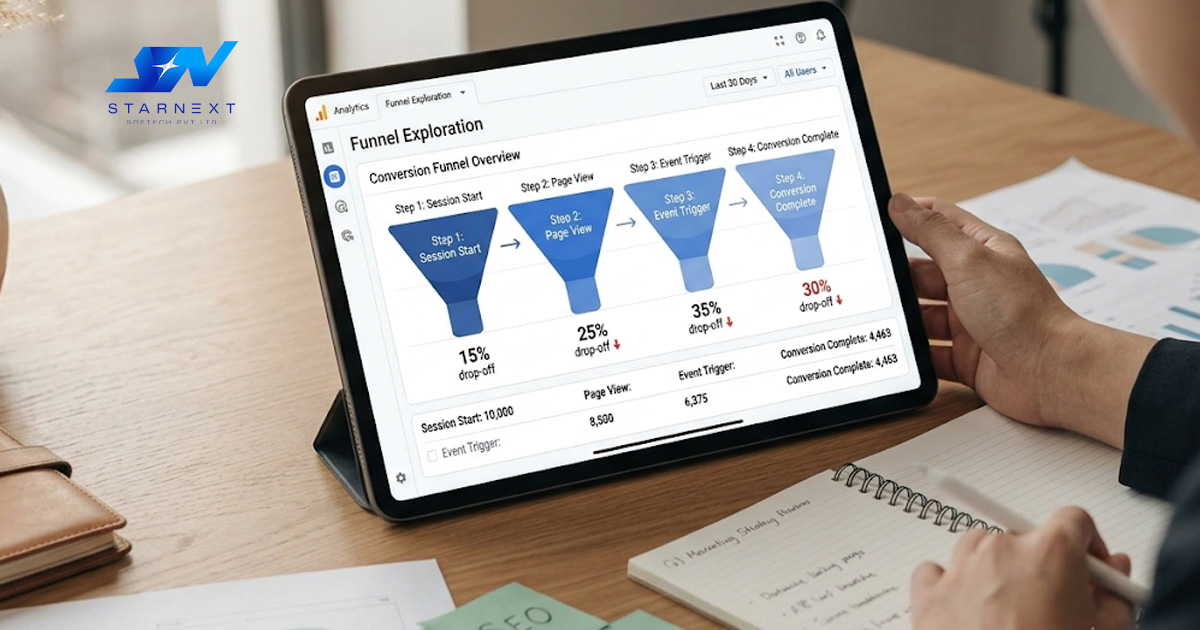
Standard reports are useful for monitoring. Explorations are where many of the revealing questions get answered. They help you move from "conversion rate fell" to "where, for whom and after which action did it fall?”
Funnel exploration exposes friction
A funnel can show the progression from product view to cart, checkout and purchase or from service page to enquiry form and thank‑you page. Look for the drop‑off then inspect it by device, channel, location or landing page. If mobile users abandon a long quotation form more often than desktop users the first fix is unlikely to be a new ad campaign. It may be mandatory fields, a clearer next step or a form that is easier to complete with one hand.
Path exploration shows what users do next
Path exploration is particularly useful for content and service sites. It can reveal whether readers of a guide continue to a service page after viewing a pricing page or repeatedly move between two pages without finding what they need. That insight can shape links, page layout, FAQs and calls to action.
Segment comparison prevents averages from misleading you
Site‑wide averages can hide important differences. Compare returning versus users, paid versus organic traffic, desktop versus mobile or visitors from different campaigns. A 3% overall conversion rate may mask a 7% rate from branded search and a weak 0.5% rate, from broad social targeting.
Practical Marketing Decisions GA4 Can Improve
Good analysis always ends with a decision. These are a decisions that become stronger when the tracking is accurate:
- Move the ad budget to campaigns that bring qualified conversions instead of just high click‑through rates.
- Make landing pages better for users who show interest but leave before filling a form, booking or buying.
- Add content topics that show visitors about services and later help turn them into leads or sales.
- Fix mobile user experience first when device data shows a drop in engagement or conversion.
- Build remarketing audiences for high‑intent visitors for example those who looked at pricing or started checkout but did not finish.
- Check if a seasonal drop is specific to a channel to a page or across the journey before taking action.
- For agencies and in‑house teams this also makes talks with stakeholders better. By saying "organic traffic grew by 18%" you can show which pages drew users, what actions they took next and what the next improvement will target.
Common GA4 Mistakes That Distort the Picture
Tracking activity without a measurement plan
It is simple to collect events because a tag manager makes setup easy. It is far harder to understand a property of vague labels, duplicate events and no clear definition of success. Start with a measurement plan that ties each event to a business purpose.
Assuming GA4 and old analytics reports will match
Universal Analytics and GA4 use data models, identity methods and reporting logic. Trying to make them match line for line can create confusion. Use data for context but set new baselines inside GA4 instead of treating every difference as a mistake.
Letting traffic and test activity pollute reports
Team visits, developer testing and repeated form submissions can quickly distort a small site’s data. Set internal‑traffic rules, test events in DebugView and review reports after site changes. Data hygiene is not glamorous. It is cheaper than optimizing based on false signals.
Treating attribution as certainty
Attribution models give credit based on rules and available data. They help compare. They do not prove that one channel worked alone. A prospect may find a brand on media research via organic search and later convert through a branded ad. Consider paths, CRM feedback and the whole customer journey before cutting investment.
Connect GA4 to the Rest of Your Marketing Stack
Analytics becomes more useful when it is connected. Link GA4 with Google Ads so conversion data can guide campaign analysis and audience building.Use Google Tag Manager to manage events cleanly.Use Looker Studio for stakeholder dashboards and think about BigQuery when raw‑data analysis, custom reporting or larger data needs justify it. When sales happen, an offline link website leads with CRM outcomes. A consultancy may find that one source brings form fills while another brings fewer but much larger contracts.Without CRM feedback analytics measures the first hand‑raise, not the business result.
Privacy, Consent and Trust Are Part of Good Measurement
Reliable measurement must respect user consent and applicable privacy rules.Check your consent implementation, cookie notice, data retention settings and the data your forms collect. Do not treat compliance as a box to tick after tracking is built; it changes what data is available and how confident you can be in using it. This creates a discipline: measure the customer journey with enough detail to improve it without gathering data the business does not need.Clear governance also makes reports easier to trust inside the company.
How to Create a Monthly GA4 Decision Routine
Many teams open analytics only after a campaign disappoints.A better habit is a monthly review that asks the same questions:
- Which channels brought the most valuable conversions and did lead or sale quality back that result?
- Which pages gained or lost engagement and what changed in traffic source, intent, design or content?
- Where did users exit the highest‑value funnels on mobile?
- Which single test fix or budget adjustment should be prioritized before the review?
Pick one or two actions, write down the hypothesis and avoid changing five variables at once.Marketing teams learn faster when they can link an outcome to a decision.
Final Perspective: Better Data Should Lead to Better Choices
The real advantage of GA4 is not that GA4 collects events. GA4 gives businesses a way to connect marketing effort with customer behavior provided the implementation is thoughtful and the reporting stays tied to real decisions.
Start small. Track the actions that matter most. Understand the journey to those actions. Use the findings to improve one page one campaign or one process at a time. Over time Google Analytics 4 becomes less of a dashboard to inspect and more of a working system for making marketing choices with confidence.