WordPress vs Shopify: Which Platform Is Better for Your Online Store?
A clothing brand launching with 40 products, a home-services business selling gift vouchers and a publisher monetising a blog through digital products do not need the same ecommerce setup. That is why the WordPress vs Shopify decision should not begin with a feature list, it should begin with how you plan to sell, market and operate the business.
Shopify is usually the choice when ecommerce is the core of the business. WordPress, especially when paired with WooCommerce, is usually stronger when content, customisation and ownership of the customer experience matter as much as selling products.
What You Are Actually Comparing
The phrase "WordPress vs Shopify" is slightly misleading because the two platforms solve problems.
Shopify is a hosted ecommerce platform. Hosting security, checkout, product management and many core commerce functions are included in the subscription. Shopify plans include products, unlimited bandwidth, analytics, discount codes, abandoned-cart recovery and Shopify POS for in-person selling.
WordPress is a content management system. On its own it does not run a store. Most ecommerce stores use WordPress with WooCommerce, an open-source plugin that adds products, carts, checkout orders and payment options.
So the real comparison is usually:
| DECISION | SHOPIFY | WORDPRESS WITH WOOCOMMERCE |
|---|---|---|
| Core purpose | Selling products online | Publishing, content and flexible websites; ecommerce added through WooCommerce |
| Hosting | Included with the plan | You manage hosting |
| Checkout | Built into the platform | Built through WooCommerce and payment extensions |
| Technical responsibility | Lower | Higher especially for self-hosted WordPress |
| Customisation | Theme and app based | Deeply customisable through themes, plugins and code |
| Best fit | Product-led stores | Content-led brands and custom builds |
Shopify vs WordPress for Ecommerce: The Practical Difference
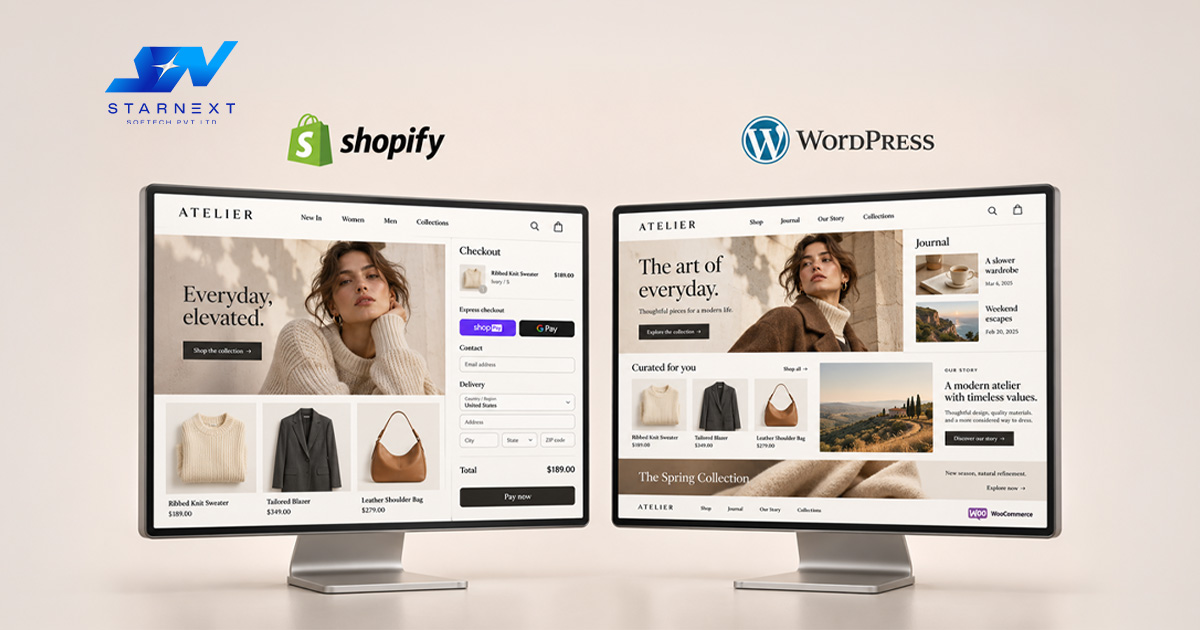
Choose Shopify when speed and simplicity matter
A new café selling coffee subscriptions, a boutique launching a small apparel range or a clinic selling skincare products can often get online faster with Shopify. The platform is designed around commerce: products, inventory orders, checkout, payments and customer records live in one area.
Shopify’s Basic plan and above include a store, product and order management, reporting, international-sales tools and a built-in blog. Shopify also includes products and bandwidth across its plans, which removes one common concern for growing stores.
For a business owner who does not want to manage hosting, plugins, backups, security updates and compatibility issues that simplicity has value. It reduces the number of things that can break while you are trying to fulfill orders.
Choose WordPress when your website is more than a store
WordPresss often the better starting point for a brand whose website needs to do more than sell. A fitness studio may need class pages, instructor profiles, booking content, local SEO landing pages and a blog. A real-estate business may need property listings, lead forms, neighbourhood guides and detailed service pages.
With WooCommerce WordPress can handle all of that alongside ecommerce. The trade-off is that you take responsibility for the setup: hosting, theme choice, plugin selection, updates, security, backups and performance.
This is why Shopify vs WordPress for Ecommerce is not a question of which platform's objectively superior. It is a question of where your business needs the flexibility.
Cost: The Sticker Price Is Not the Full Cost
Many people compare the subscription and assume WordPress is automatically cheaper. That can be true. It is not always true.
Shopify’s published pricing starts at $29 USD per month when billed annually for Basic, $79 for Grow and $299 for Advanced; Shopify Plus starts at $2,300 per month. These plans include hosting and Shopify states that its plans include an SSL certificate and Level 1 PCI DSS compliance.
WordPress software and WooCommerce are free. A functioning store still needs hosting, a domain, a theme, plugins, payment processing, security measures and often developer support. WooCommerce estimates hosting at 350 per month for stores while paid extensions can range from $29 to $299 per year.
A Useful way to budget
| COST AREA | SHOPIFY | WORDPRESS WITH WOOCOMMERCE |
|---|---|---|
| Platform subscription | Fixed monthly plan | WordPress/WooCommerce software is free |
| Hosting | Included | Separate cost |
| Themes and apps | May require paid apps | May require paid themes and plugins |
| Payment processing | Shopify Payments or third-party gateway | Payment gateway of your choice |
| Maintenance | Mostly handled by Shopify | Owner, agency or developer responsibility |
| Development | Usually lower for standard stores | Can be higher for custom functionality |
A store with simple products, standard checkout needs and limited customisation may find Shopify more cost-effective overall. A business that needs a customised site, extensive content publishing, memberships, complex product logic or unique user journeys may find WordPress more economical despite the ecommerce website development platform work.
SEO: Which Platform Gives You Control?
Both platforms can rank well. The platform itself does not guarantee rankings; the quality of your product pages, site structure, content, technical setup, links and user experience matters more.
WordPress has an advantage when SEO and content are central to the business. Its publishing system was built for blogs, editorial content, categories, tags, internal linking and flexible page structures. A skincare brand that wants to publish ingredient guides, dermatologist-backed routines, comparison pages and location-specific content may find WordPress more natural to manage.
Shopify is perfectly capable of SEO particularly for product-led stores. Its built-in blog supports articles, promotions and customer communication. Complex content structures, highly custom landing pages and advanced editorial workflows can require more workarounds or apps.
Product SEO matters on both platforms
Regardless of platform ecommerce SEO depends on product information. Google recommends adding `Product` data to product pages using Merchant Center feeds and providing details such as price, availability, reviews, shipping and returns where relevant.
Structured data is not required to appear in Google Search. It can help Google understand product pages and may support richer search results. For businesses selling products Google Merchant Center participation is mandatory for some surfaces, including the Google Shopping tab.
This is a point in any WordPress vs Shopify comparison: whichever platform you choose, make sure product data is complete, consistent and technically accessible to search engines.
Design and Customisation: Flexibility Has a Price
Shopify gives merchants a clean predictable path. You select a theme, adjust the design through the theme editor, add apps where needed and launch. This is excellent for businesses that want a store without building a development team.
The limitation appears when your requirements become unusual. Perhaps you need a custom product configurator, a subscription flow, a marketplace model, a multi-vendor system or a customer portal that behaves differently from standard ecommerce. Shopify can support many of these through apps and development. The solution may become expensive or constrained.
WordPress gives you room to shape the experience. You can build custom templates, integrate niche systems, create content hubs and adapt the site as the business evolves. The downside is equally clear: more freedom means decisions, more plugins and more potential maintenance.
A salon, gym, clinic or professional-services business with content and booking needs may benefit from WordPress. A retailer focused on catalogue size, promotions, checkout conversion and operational simplicity may prefer Shopify.
Payments, Security and Day-to-Day Operations
Shopify reduces complexity. It provides infrastructure, checkout, fraud analysis with Shopify Payments, abandoned-cart recovery, analytics and POS support for selling in person.
With WordPress the store owner has control but also more responsibility. You need to keep WordPress core, themes and plugins updated; choose hosting; manage backups; and ensure that security and checkout performance remain solid.
Neither choice removes the need for ecommerce operations. Product photography, shipping information, transparent returns, fast support and accurate inventory still determine whether visitors become customers.
Common Mistakes Businesses Make
- Choosing a platform before thinking about the business model. A business that needs a lot of content, bookings, memberships or special processes might grow beyond a store setup quickly.
- Not thinking about the work that keeps a site running. WordPress is easy to use. Self-hosted stores need regular updates, checking and help when something goes wrong.
- Thinking Shopify does all the marketing. A Shopify store still needs product pages designs that make people buy emails to customers, ads and ways to get found on search engines.
- Adding many extra tools. Each new tool can slow things down, cost, make things less safe and make it harder for people to use the site.
- Forgetting about product details. Missing things like sizes, delivery times, return rules, stock numbers and clear product info can make customers unsure. Hurt how well the site shows up in searches.
- Thinking the platform choice is fixed. Moving to a platform is possible but it gets harder as the store grows with more products orders, connections and content.
How AI Search Changes the Choice
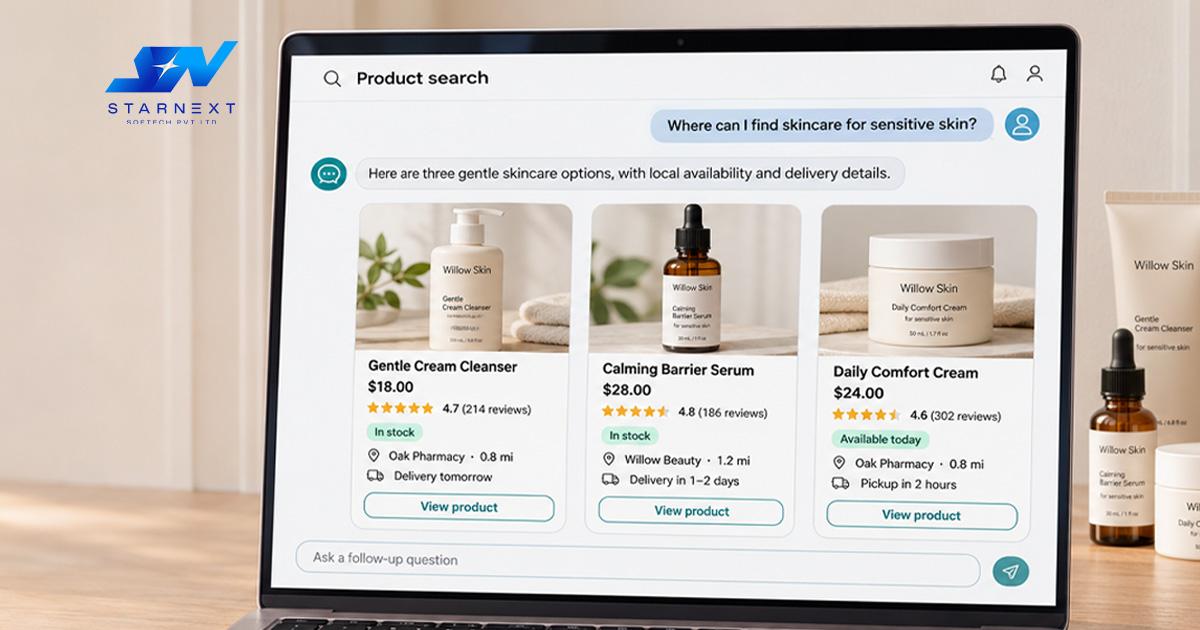
AI-powered search doesn't take the place of an online store. It makes it more important to have well-organized business info.
When someone asks an AI search, "Which local store sells skincare for sensitive skin?". Where can I buy handmade jewellery with fast delivery?" The system needs to know about your products, where you're, how much they cost if they're available, your reputation and your rules. Product info that's organized feeds from the Merchant Center clear pages for categories, details on products and consistent business info all help the system understand your store.
For businesses with a real store Google also suggests using `LocalBusiness` info for the store location and hours and adding the real address and store code to the Merchant Center.
This means the choice of platform is not as important as the quality of the store you build. A messy Shopify store and a messy WordPress store can both have trouble showing what their products are worth.
Which is the Best Ecommerce Website Platform?
There is no one platform. There is the best ecommerce website platform for your business.
Shopify is usually better when:
- Selling products is the thing the website does.
- You want to start with less technical work.
- You need a checkout, inventory and order system.
- Your team doesn't have a developer or someone who knows tech.
- You want to sell and in person using a point-of-sale system.
WordPress with WooCommerce is usually better when:
- Content, SEO, writing and building brand trust are important for growth.
- You need features or deep changes.
- You want control over hosting, data and how the site is built.
- Your business mixes selling with bookings, memberships, classes, groups or complicated content.
- You have a developer or a digital team.
For small businesses the choice comes down to one question: Do you want the platform to handle most of the selling or do you want more say over how the whole site works?
Final Thoughts
The debate between WordPress and Shopify gets much easier when you stop seeing it as a tech choice. Shopify is a store- platform that makes many parts of running a store easier. WordPress is a first platform that gives businesses more control especially when content and custom experiences are key to success.
If your goal is to start and run an online store with little tech trouble Shopify is usually the better first choice. If your website needs to be a long-term place for content getting leads and custom features WordPress with WooCommerce is worth taking
No matter which one you choose, invest early in product pages, a smooth checkout, helpful content, correct info and a way to track results. These choices will affect sales and how well the site shows up in searches long after the platform is chosen.